What is WizeStudio?
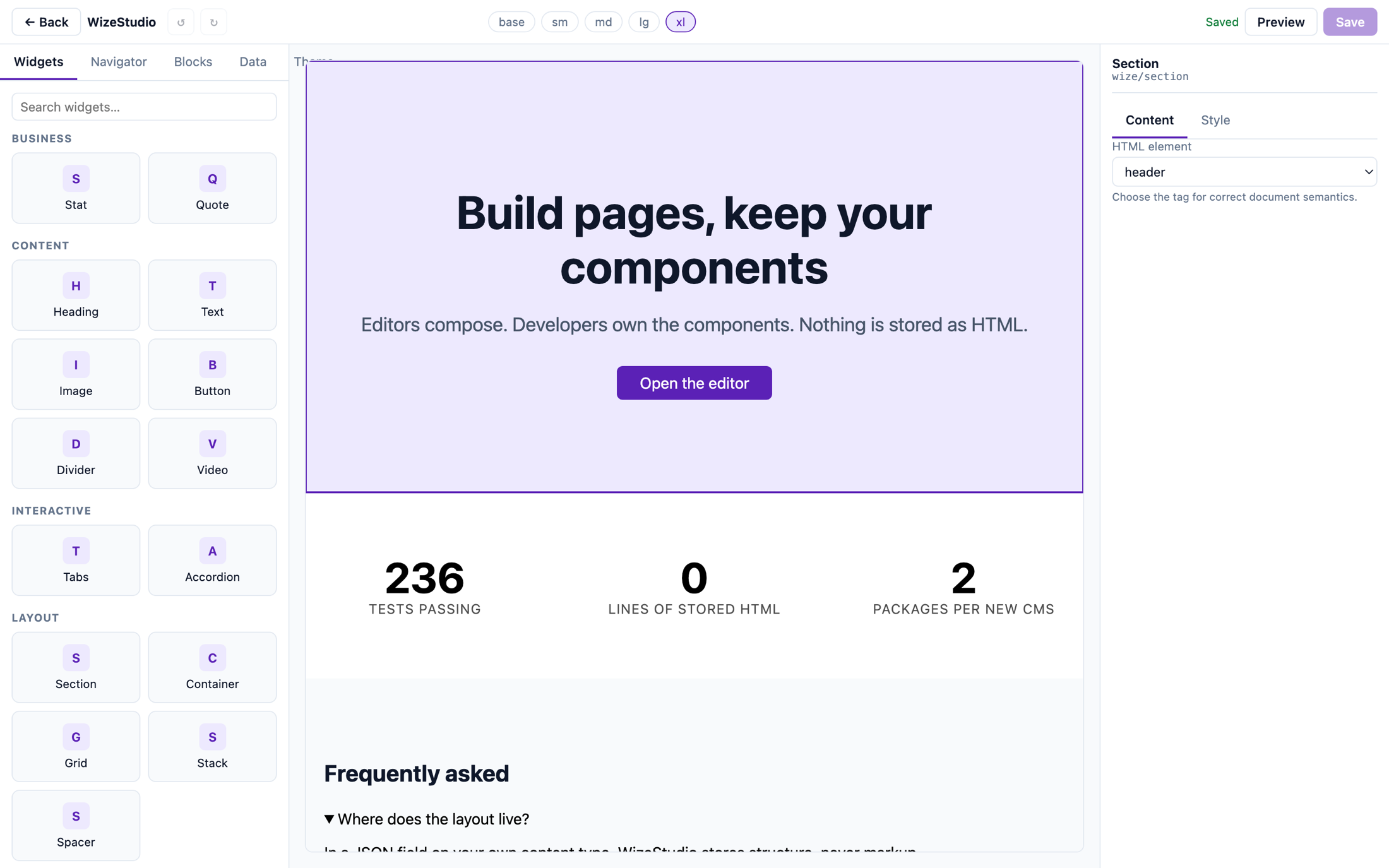
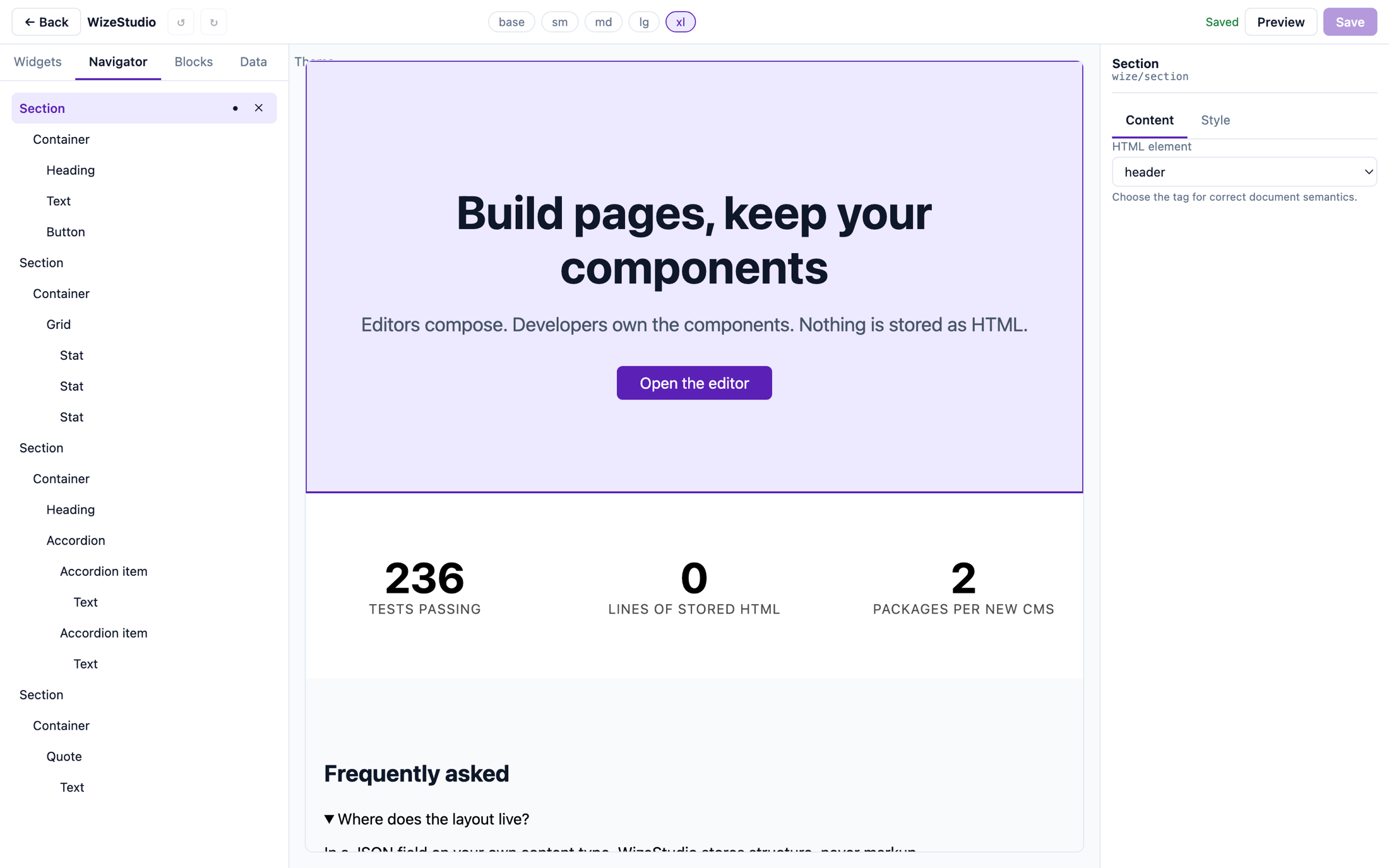
WizeStudio is a visual page builder for headless CMS platforms, currently shipping for Strapi. Editors compose pages by dragging your own React components onto a canvas that renders your real site. Layouts are saved as structured JSON in your own content type, so nothing is locked in a proprietary format.
Do I have to use your components?
No, and that is the central design decision. A WizeStudio widget is an ordinary React component plus a manifest describing its props and slots. The builder reads only manifests and never imports your component; the renderer imports your component and never reads a manifest. WizeStudio does not need to know what a pricing table is in order to let someone arrange yours.
Where is the page layout stored?
In a JSON field on your own content type, as a normalized document of typed nodes with stable IDs. It is queryable, diffable and migratable, and any other tool you build can read it. WizeStudio never stores rendered HTML.
Is the page builder really free?
Yes — all of it, MIT licensed, with no account, no key and no limits. Unlimited sites, pages, editors and layouts. There is no feature switched off and no trial that ends. The paid Agency Pack is separate software that adds things a single-site user does not need: a block library shared across projects, and component change impact analysis across every stored page.
What happens to my site if I cancel the Agency Pack?
The page builder keeps working, because it never depended on a subscription — it is free software you already have. You lose the shared library and the impact analysis; the blocks already pulled into your projects stay where they are, since they are ordinary blocks once installed. Your published site is untouched either way: the packages that render pages contain no licensing code at all.
What happens if your servers go down?
Nothing happens to the page builder — it has no licence check in it at all, so there is nothing for our uptime to affect. The Agency Pack verifies offline against an Ed25519-signed token, so it does not depend on reaching us either. An unreachable or slow server is treated as unknown, never as invalid, and tokens carry a 28-day grace window on top of that.
Is the Agency Pack available now?
No — it is a pre-order, and we would rather say so plainly than imply otherwise. Both addons exist as tested libraries; what is missing is the Strapi plugin around them. Buying now funds the work and reserves the price, and you can have a full refund at any point before it ships — email support@wizeb.com. The page builder is free, finished, and does not depend on any of this.
What is in the paid Agency Pack?
Two addons. The shared block library lets you publish a section once and pull it into every project you run, then shows which sites are behind, which have been edited locally, and what a pull would overwrite. Component change impact analysis tells you which stored pages a manifest change breaks before you merge, generates a migration plan, dry-runs it, and reports what would still be broken. Both are separate packages; neither is the page builder with a switch flipped.
How many sites does a licence cover?
One live site. The domain checked is the website being edited, not the Strapi instance editing it, so if you run one Strapi behind several websites each of those needs its own licence — and the plugin holds them side by side, so there is nothing to switch between. Development hosts (localhost, .local, .test and private networks) never need a licence and are never counted. You register a live domain from the dashboard and can change it at any time, during a migration for example.
Which CMS platforms are supported?
Strapi 5 today. The core is CMS-agnostic by design: platform support is a thin adapter package, so adding a new CMS does not touch the builder, the renderer or the document format.
Does it work with Next.js?
Yes. The renderer is a React package and ships a Next.js integration. The editor canvas loads your real Next.js app in an iframe and drives it over a versioned message protocol, so what an editor arranges in the builder is produced by exactly the same code path that serves your visitors.
Can editors bind components to CMS content?
Yes. Any component property can be pointed at a field in your CMS instead of being typed in by hand. A component can also repeat over a collection, which is how product grids and post lists are built without the core knowing what a product or a post is.
Is the page output good for SEO and performance?
The output is whatever your components render — WizeStudio adds no wrapper markup, no runtime JavaScript of its own and no inline style blobs to the production page. Server rendering, streaming and static generation all work normally because the renderer is an ordinary React component tree.
How do I install it?
Install @wizestudio/plugin-strapi in your Strapi project and @wizestudio/renderer-react in your front end, register your widgets, and point the plugin at your front-end URL. The whole integration is fetching a layout document and handing it to the renderer along with your component pack.
 WizeStudio